
Download Star Music – Free Mp3 Player for Android
Overview
Star Music - Mp3 Player is a free desktop-like music application designed for Android devices, developed by Monica GDavis. It belongs to the 'Music & Radio' category and is intended for users seeking a straightforward, lightweight way to play audio files on their mobile devices. The software aims to simplify music playback by offering core functionalities such as playlist creation, format support, and basic audio controls. It is particularly suited for casual listeners who want to enjoy their personal music library without the complexity of advanced features. The app is not intended for professional audio editing or production, nor does it support advanced music management tools.
Target users include individuals who prefer a minimalistic audio player with no ads or in-app purchases. The app supports common audio formats including MP3 and WAV, making it accessible for most users with standard music collections. It is available exclusively on Android, requiring Android 13.0 or higher, and is currently only offered in English. The developer did not provide information about future updates or long-term development plans. While the app is free to download and use, it has not been verified by third parties or published on the Google Play Store, which may affect user confidence in its security and reliability.
Key Features & Capabilities
- Audio Format Support: Plays MP3, WAV, and other widely used audio formats, enabling users to access most personal music files without conversion.
- Playlist Management: Allows users to create, save, and organize custom playlists for easy access to favorite tracks or themed collections.
- Basic Playback Controls: Includes standard functions such as play, pause, skip, shuffle, repeat, and a sleep timer for bedtime listening.
- Equalizer Settings: Offers customizable audio equalizer presets to enhance sound quality based on personal preference or listening environment.
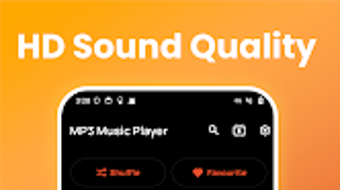
- Minimalist Interface: Features a clean, uncluttered design focused on usability and fast access to core music playback functions.
These features are designed to streamline the music listening experience on Android devices. For example, users can quickly build a playlist for a workout session or a road trip, then use the sleep timer to automatically stop playback after a set duration. The equalizer can be adjusted to emphasize bass for dance tracks or clarity for vocal performances. The app’s lightweight nature makes it suitable for devices with limited resources, though the developer did not specify exact performance details. It is not intended for users requiring advanced audio editing, tagging, or cloud synchronization.
User Interface, Workflow & Performance
Star Music - Mp3 Player presents a clean and intuitive user interface, prioritizing ease of access to essential playback functions. Navigation is straightforward, with main controls and playlist views arranged in a logical layout. The app’s workflow is designed for minimal interaction—users can browse their music library, select a track, and begin playback with just a few taps. The absence of ads and in-app purchases contributes to a distraction-free experience.
Performance details were not specified by the developer. However, given the app’s file size of 12.3 MB and its focus on basic playback, it is likely optimized for efficient operation on mid-range and higher-end Android devices. The app does not require special permissions to function, which may improve privacy and reduce system overhead.
Stability and CPU/RAM behavior were not documented. The developer did not provide information on updates or long-term maintenance. Users should be aware that the app is not available on the Google Play Store, which may impact update reliability and security verification.
Compatibility & System Requirements
Star Music - Mp3 Player is compatible with Android 13.0 or higher. It is designed exclusively for Android devices and is not available on any other platform, including Windows, Mac, or iOS. The installation file size is 12.3 MB, which is relatively small and suitable for devices with limited storage.
The developer did not provide additional system requirements, such as minimum RAM or CPU specifications. As a result, exact hardware compatibility cannot be confirmed. Users should ensure their device meets the minimum OS version to install and run the app successfully.
Since the app is not published on the Google Play Store, users must download the APK file from third-party sources. This may pose potential risks if the source is untrusted. The app is not available in any language other than English, limiting accessibility for non-English speakers. The developer did not disclose whether the app supports future Android versions or device-specific optimizations.
Pros and Cons
Pros
- Free to download and use with no ads or in-app purchases
- Supports common audio formats including MP3 and WAV
- Lightweight design with a small file size of 12.3 MB
- Simple, clean interface ideal for casual music listening
- Includes useful features like equalizer, shuffle, repeat, and sleep timer
Cons
- Not available on Google Play Store, increasing potential security risks
- No official verification or third-party security checks
- Only supports Android 13.0 and above, limiting compatibility with older devices
- Not suitable for professional audio editing or advanced music management
- Only available in English, with no language options
FAQ Section
Is Star Music available on Google Play Store?
No, the app is not available on the Google Play Store. Users must download the APK file from third-party websites.
Does Star Music require any special permissions?
The app does not require any special permissions to function, which helps maintain user privacy and system security.
Can I use Star Music offline?
Yes, the app is designed for offline playback. Once music files are stored on the device, they can be played without an internet connection.
Is Star Music safe to download?
The app is not verified by any third-party security organizations. Users should download from trusted sources to minimize potential risks.
Does the app support music file tagging or metadata editing?
No, the app does not include features for editing music file tags or metadata. It is focused solely on playback and basic organization.
Final Thoughts + CTA
Star Music - Mp3 Player offers a simple, ad-free solution for users who want to play their music files on Android devices. Its lightweight design, support for common audio formats, and inclusion of essential playback features make it a solid choice for casual listeners. While it lacks advanced tools and is not available on the Google Play Store, its clean interface and minimal resource usage are notable strengths. However, users should be cautious about downloading from unofficial sources due to the absence of third-party verification. The app is best suited for individuals seeking a no-frills music player without the need for complex features or cloud integration.
Download Star Music now and enjoy your favorite songs on the go.







